
Nov 7, 2026
Auto add Products to Cart when Product X is added in Shopify
Learn why and when to use Auto Add to Cart in Shopify, and how to automatically add free gifts or discounted reward products to customers’ carts when they qualify for a Buy X Get Y offer.
Problems with Offering Reward/Free gifts in Native Shopify
Shopify’s built-in Buy X Get Y discounts don’t automatically add reward products to the cart when customers add qualifying products. They also have the following limitations:
- Customers must manually add the free gift or reward product to their cart after meeting the Buy X condition, creating extra steps and potentially causing confusion.
- There is no built-in way to promote or notify customers about the free gift or reward product included in a Buy X Get Y offer.
- Implementing Auto Add to Cart through custom code requires additional programming, making it complicated and difficult to maintain.
Shopify App for Auto Add to Cart with Buy X Get Y Promotion
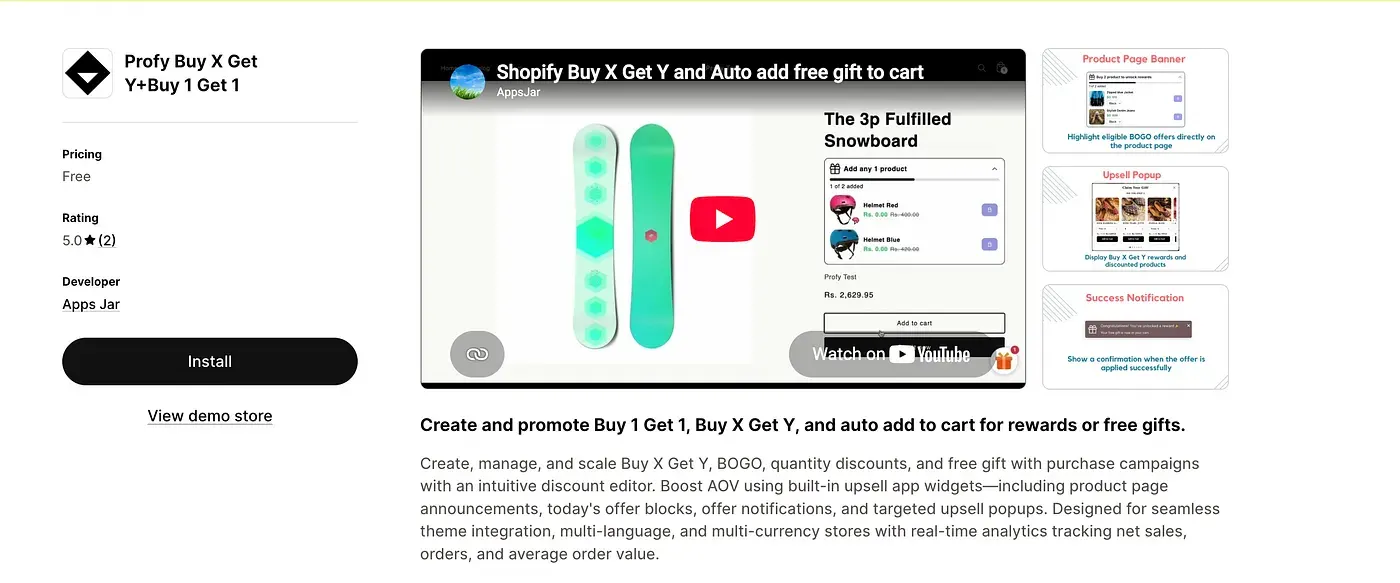
Since Shopify doesn’t provide built-in Auto Add to Cart functionality for Buy X Get Y promotions, we’ll use a dedicated Shopify app. For this guide, we’ll use Profy Buy X Get Y + Buy 1 Get 1 to create promotional offers and automatically add free gifts or discounted reward products to the cart.
Link: https://apps.shopify.com/profy-bogo-free-gift-upsell
Creating Buy X Get Y Offer for Free gift/reward on purchase of Product X
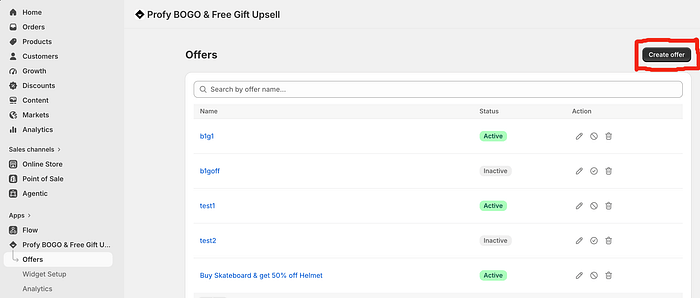
To create a Buy X Get Y promotion, navigate to the Offers page and click the Create Offer button.
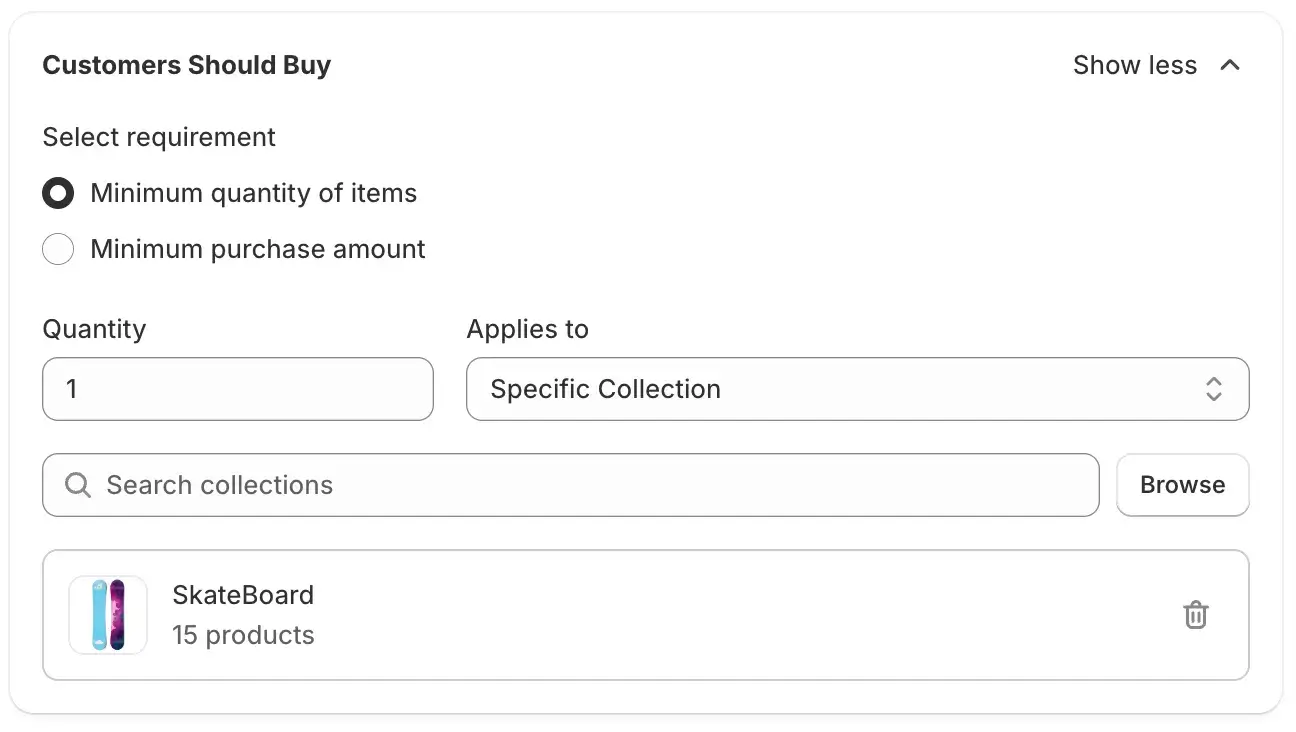
In the first tab, Offer Setup, configure the Buy X condition. For this example, select Buy 1 and choose the collection of products eligible for the offer.
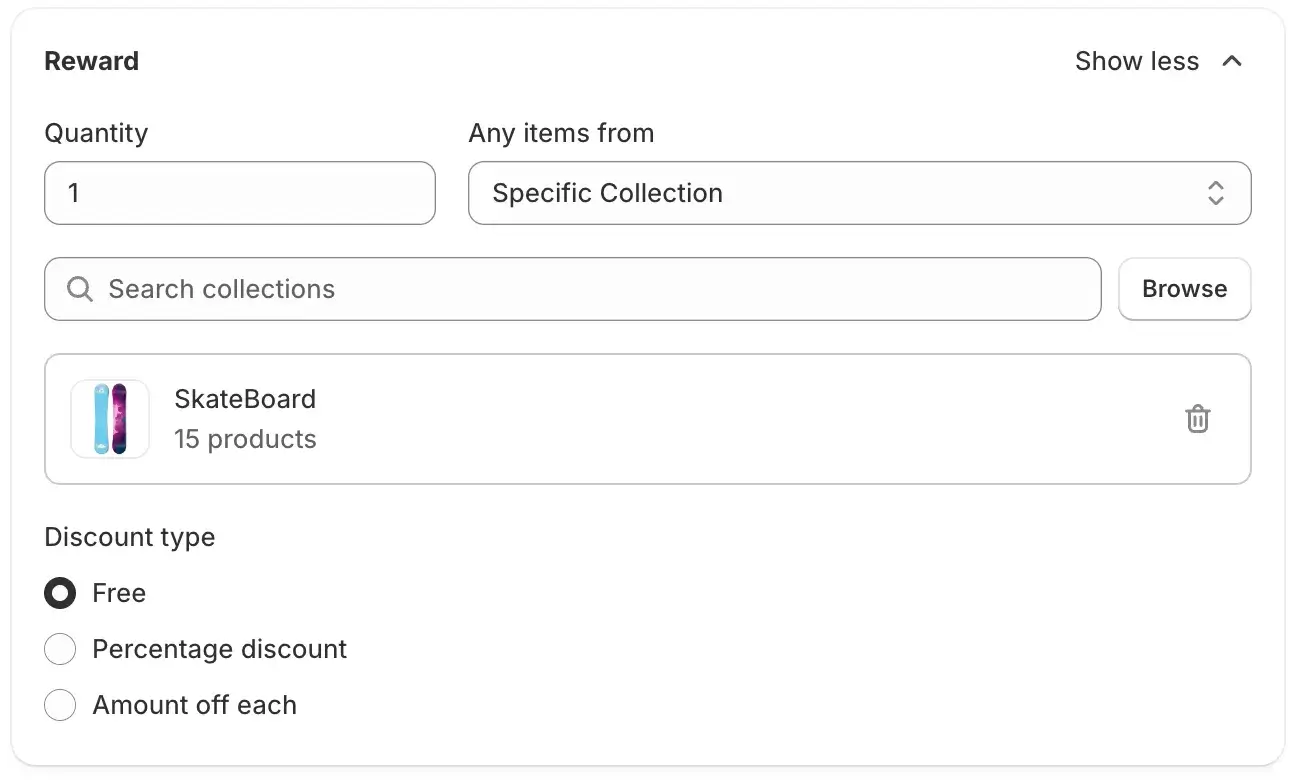
Once the Buy X condition is configured, add the Reward Condition. For this example, we’ll offer one free gift from a selected collection when the customer adds an eligible Product X to their cart.
Enabling Auto add Reward product to cart feature
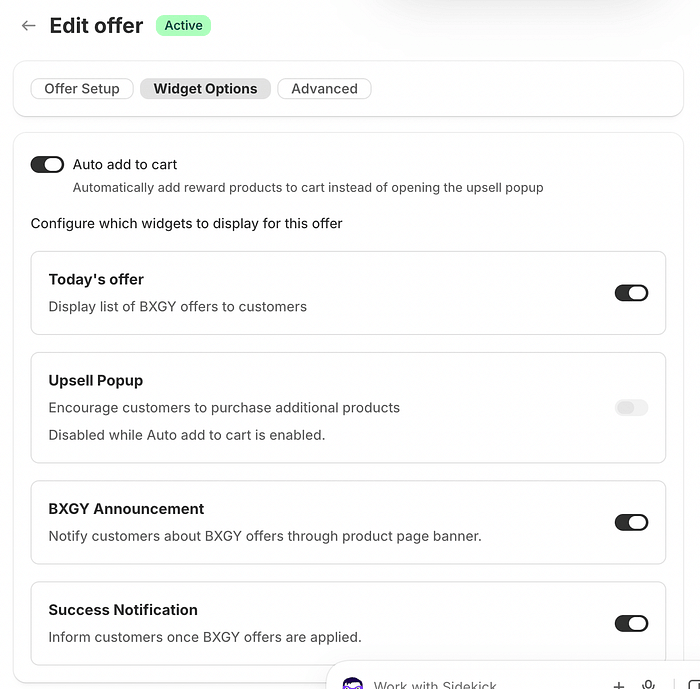
In the Widget Options tab, enable the Auto Add to Cart feature. Once enabled, the reward product or free gift will be automatically added to the cart when the customer meets the Buy X condition, instead of displaying an upsell popup.
Final result of Auto add to cart
Once the offer is saved and activated on your Shopify store, the widgets promoting the Buy X Get Y discount will be displayed on your store.
The Buy X Get Y offer widget appears on eligible product pages, displaying the promotion details and instructions to customers.
When a customer adds a product to the cart and meets the Buy X condition, the free gift is automatically added to the cart, along with a notification confirming that the offer has been successfully applied.
Customers can also remove the automatically added free gift from their cart if they don’t wish to claim it, giving them the flexibility to proceed with their purchase without the reward product.